For eBay sellers

Turn photos and inventory into eBay-ready listings in seconds.

Generate drafts, refresh stale listings, and publish to eBay from one mobile-first workspace.

Photos or inventoryDraftReadyPublished
eBay-firstMobile-firstImport + refreshDirect publish

How it works

From photo or inventory to live listing.

Draft, readiness, publish — then continue in one workspace.

  1. 1

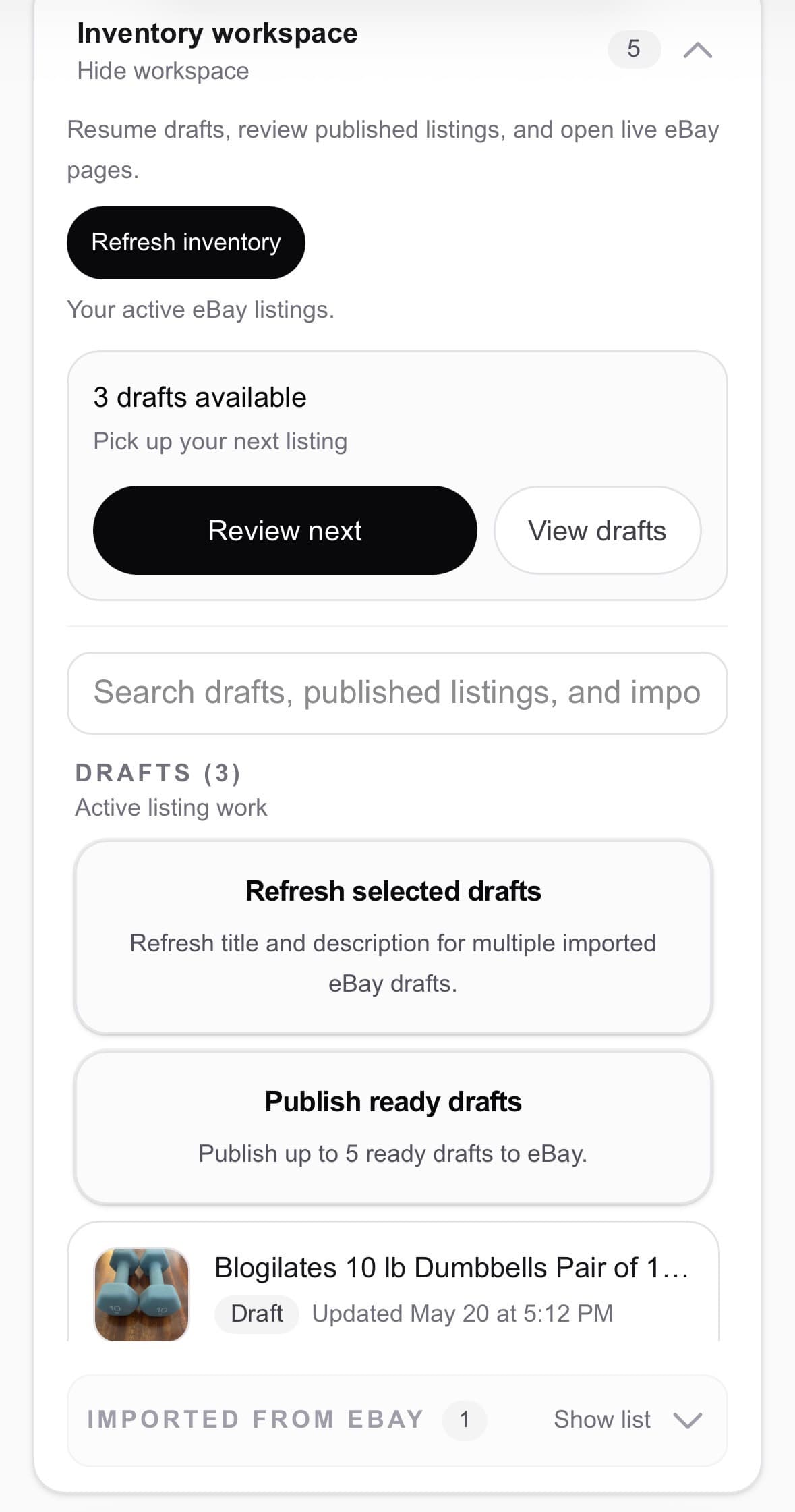
    Add photos or import inventory

    Item photos or active eBay inventory in one workspace.

  2. 2

    Review the draft

    Review title, description, and listing details before publish.

  3. 3

    Check readiness

    Photos, price, category, condition, and specifics in one checklist.

  4. 4

    Publish to eBay

    Publish when ready, then pick up the next draft from your workspace.

Posta inventory workspace on mobile showing drafts, search, and listing actions

Create

Start with photos. Leave with a usable draft.

Add photos and context. Posta builds a structured eBay draft you can review and publish.

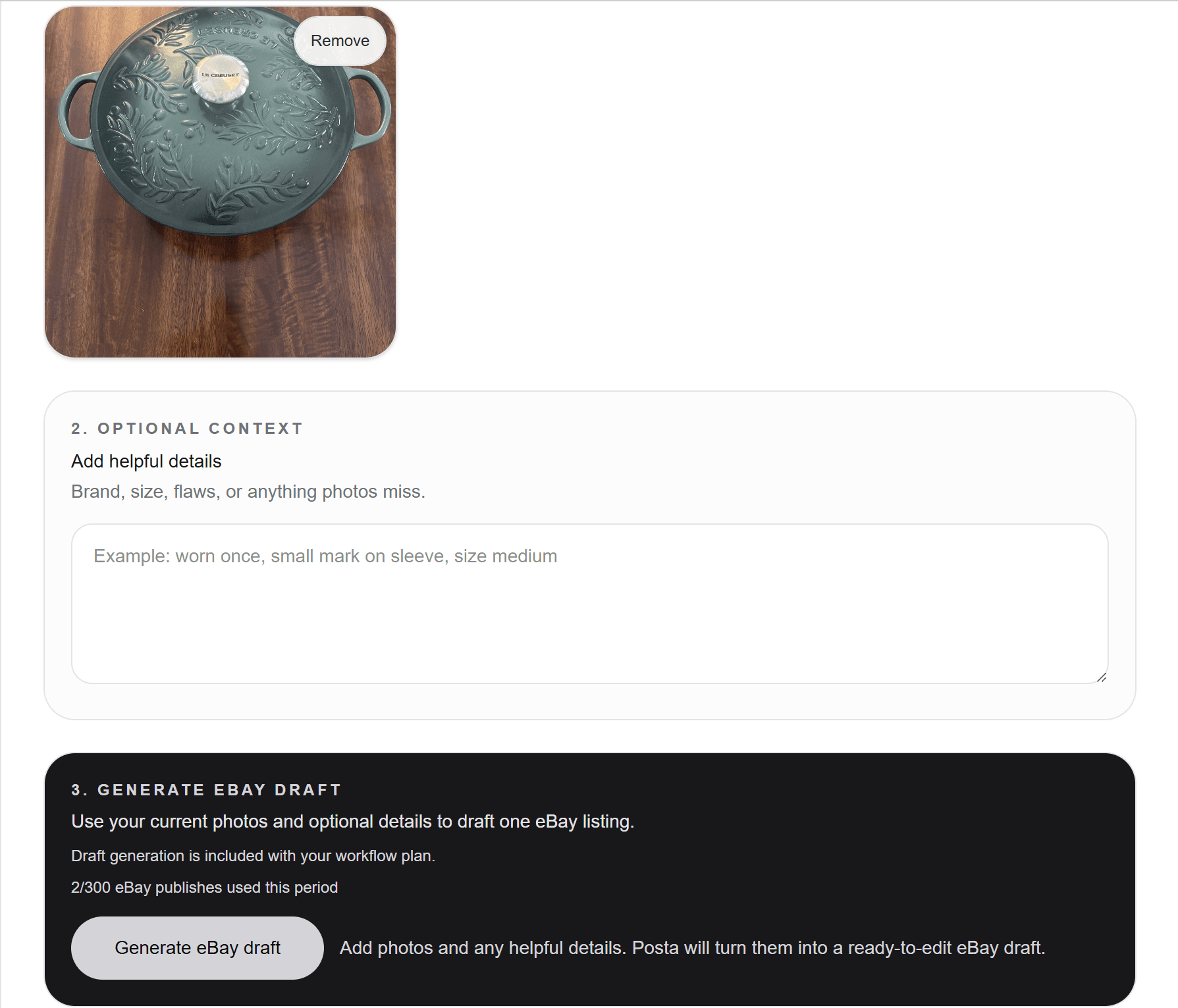
Add photos

Snap items on your phone and add context when needed.

Adding item photos and generating an eBay draft in Posta

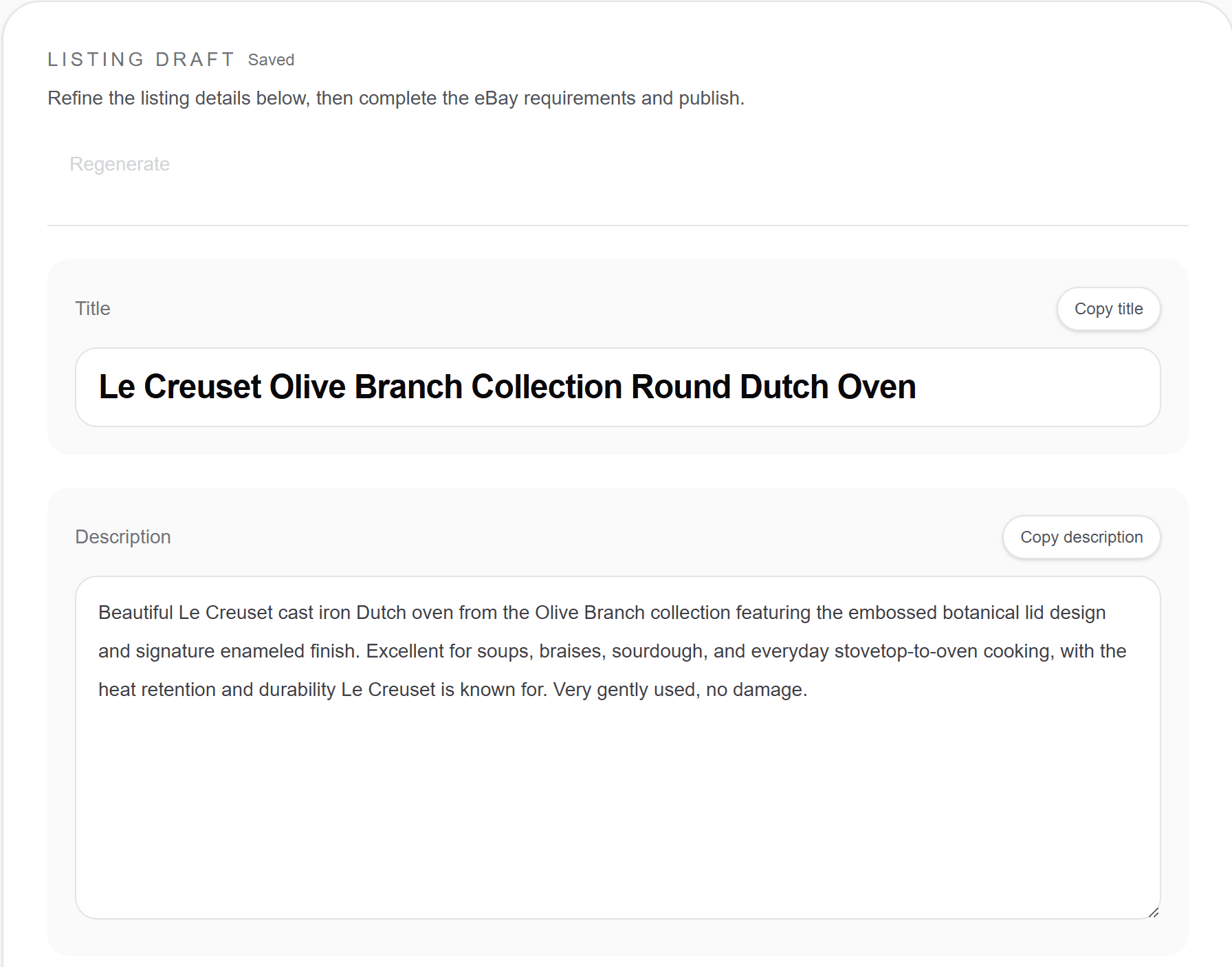
Review the draft

Review title, description, and listing details before publish.

Structured listing draft with title and description in Posta

Complete

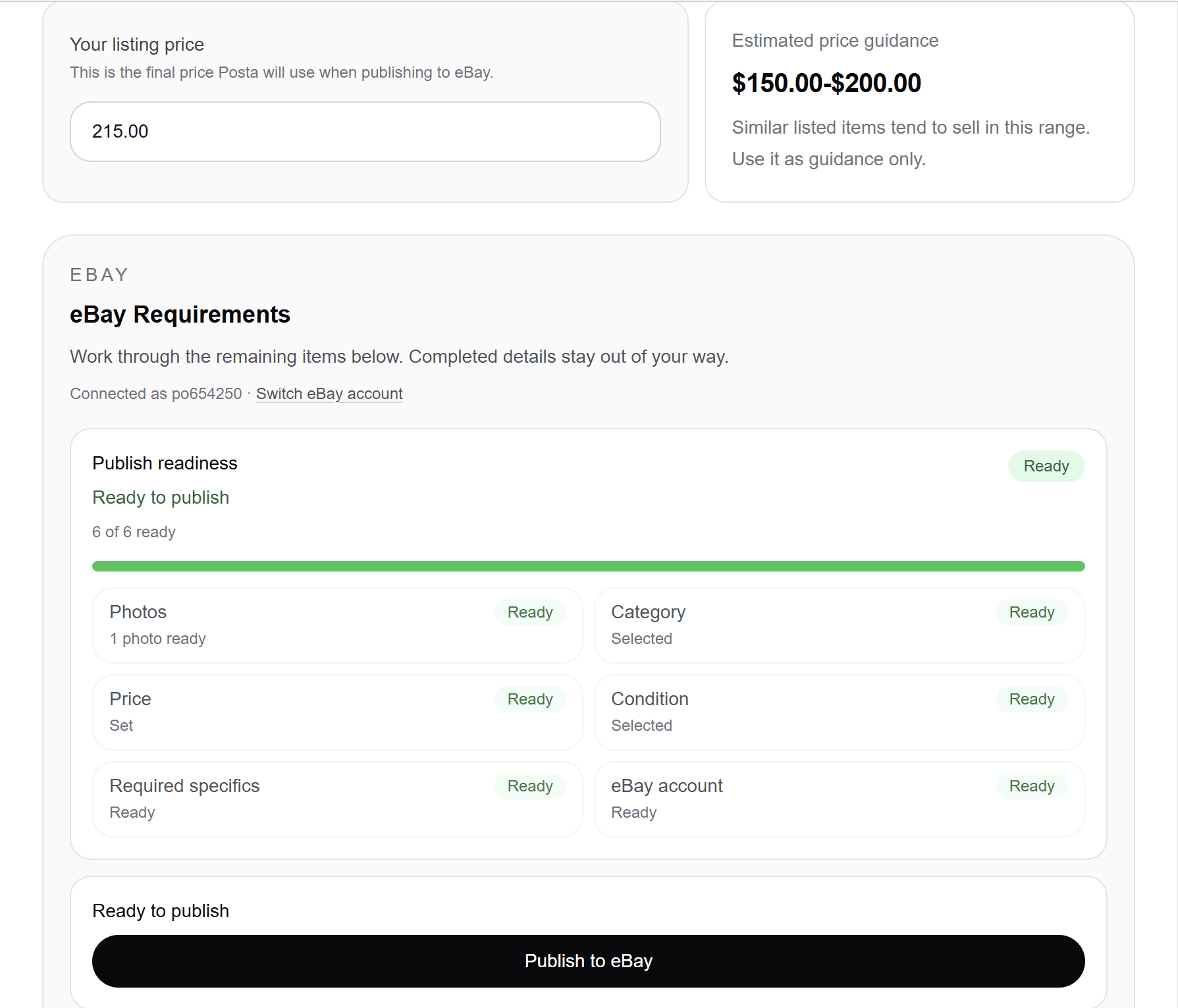
Know what’s ready before you publish.

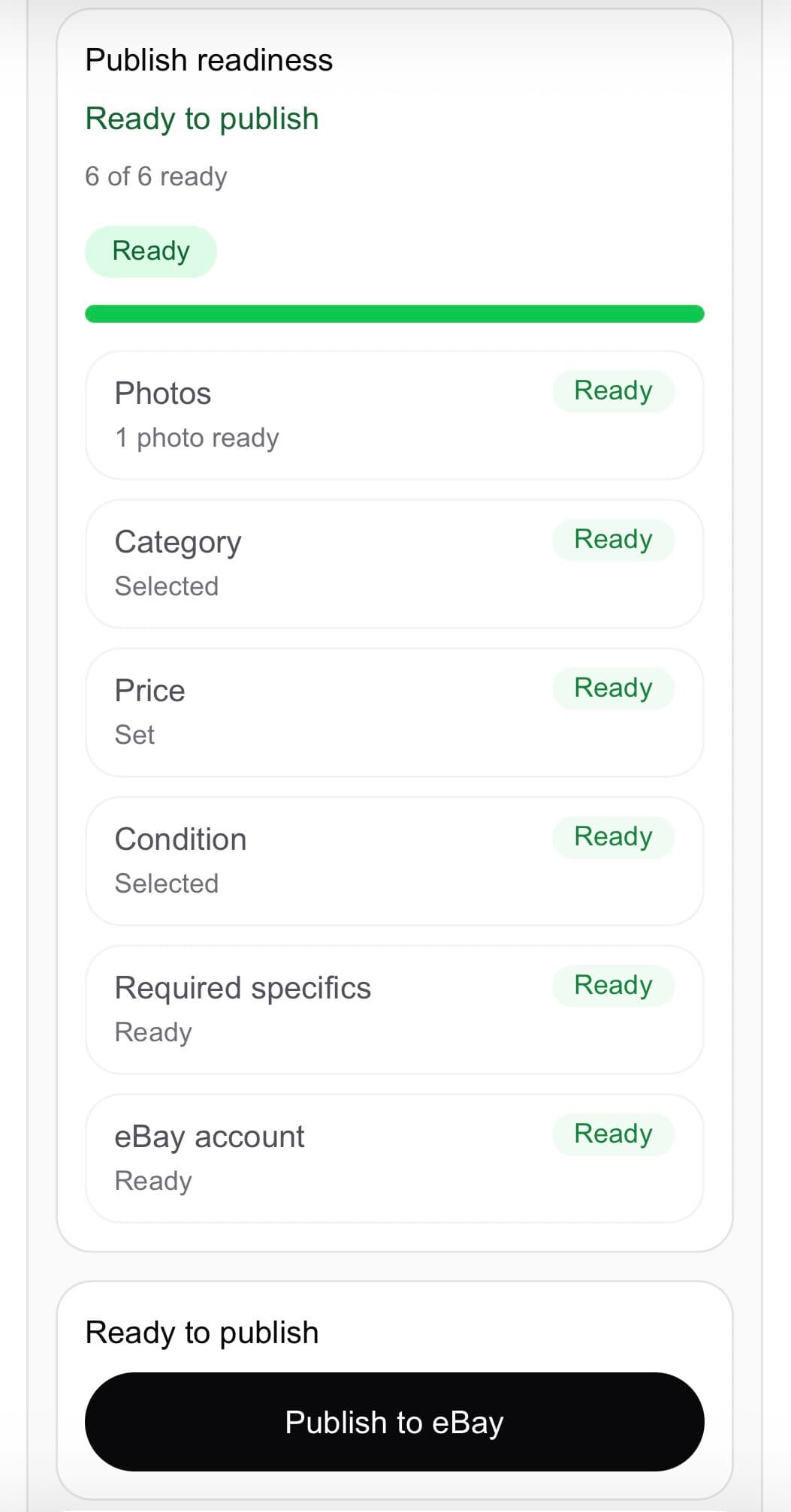
Posta checks photos, price, category, and specifics before you publish.

  • Photos, price, category, and condition
  • Required item specifics
  • eBay account readiness before publish
Publish readiness checklist on mobile in Posta

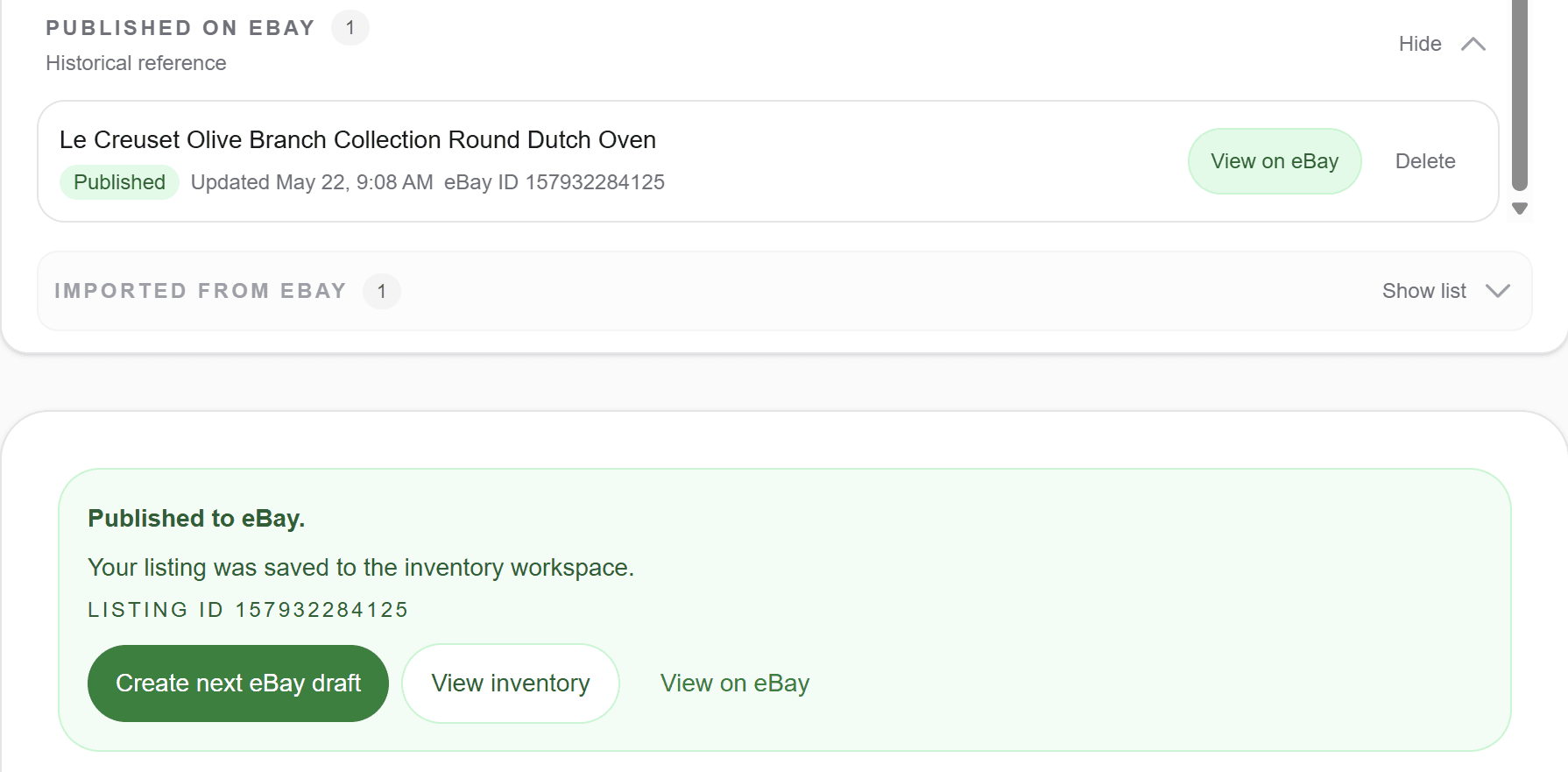
Publish, save, and keep moving.

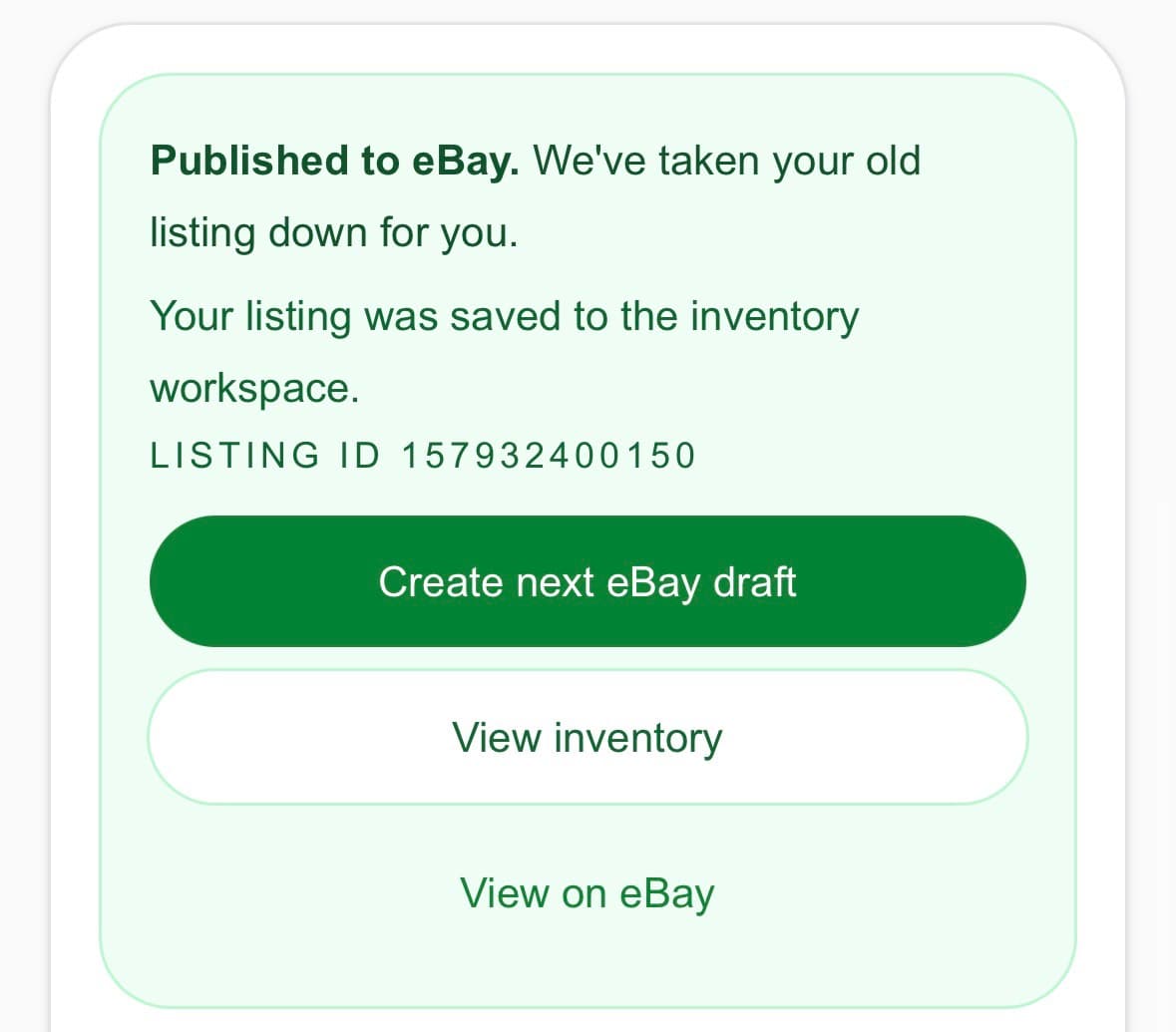
When a listing goes live, Posta saves it to your workspace with a clear next draft to pick up.

Published → saved → next draft

Published to eBay on mobile with Create next eBay draft button visible

Continue

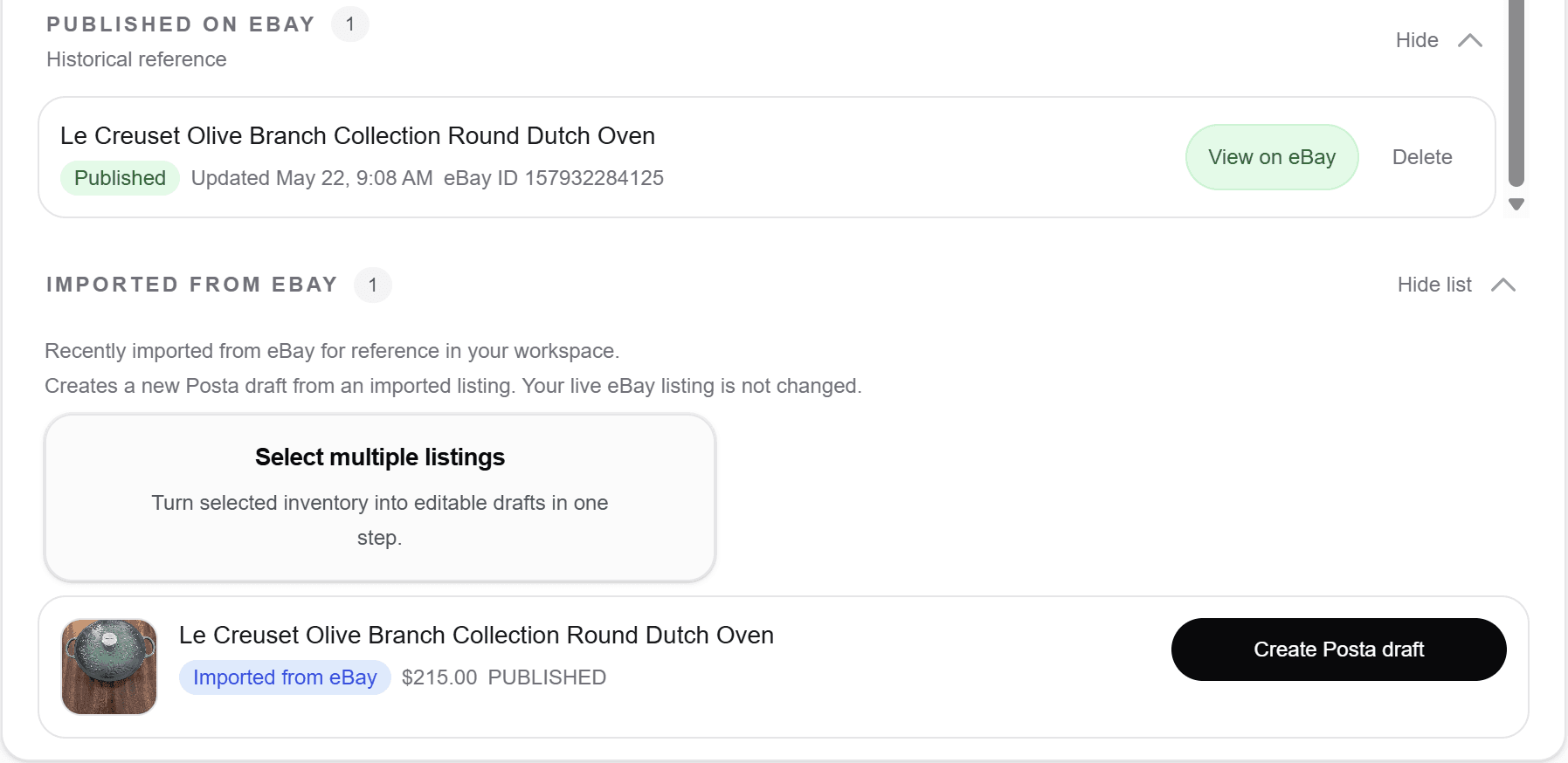
Bring existing eBay listings into Posta.

Import active listings and open editable Posta drafts from one workspace.

Your live listing stays unchanged until you choose what to do next.

Imported eBay listings in Posta workspace with Create Posta draft action

Refresh stale listings without starting over.

Sharpen titles and descriptions from imported listings — you control what goes live.

Step 1

Start from imported inventory

Open an existing listing draft and refresh when you are ready.
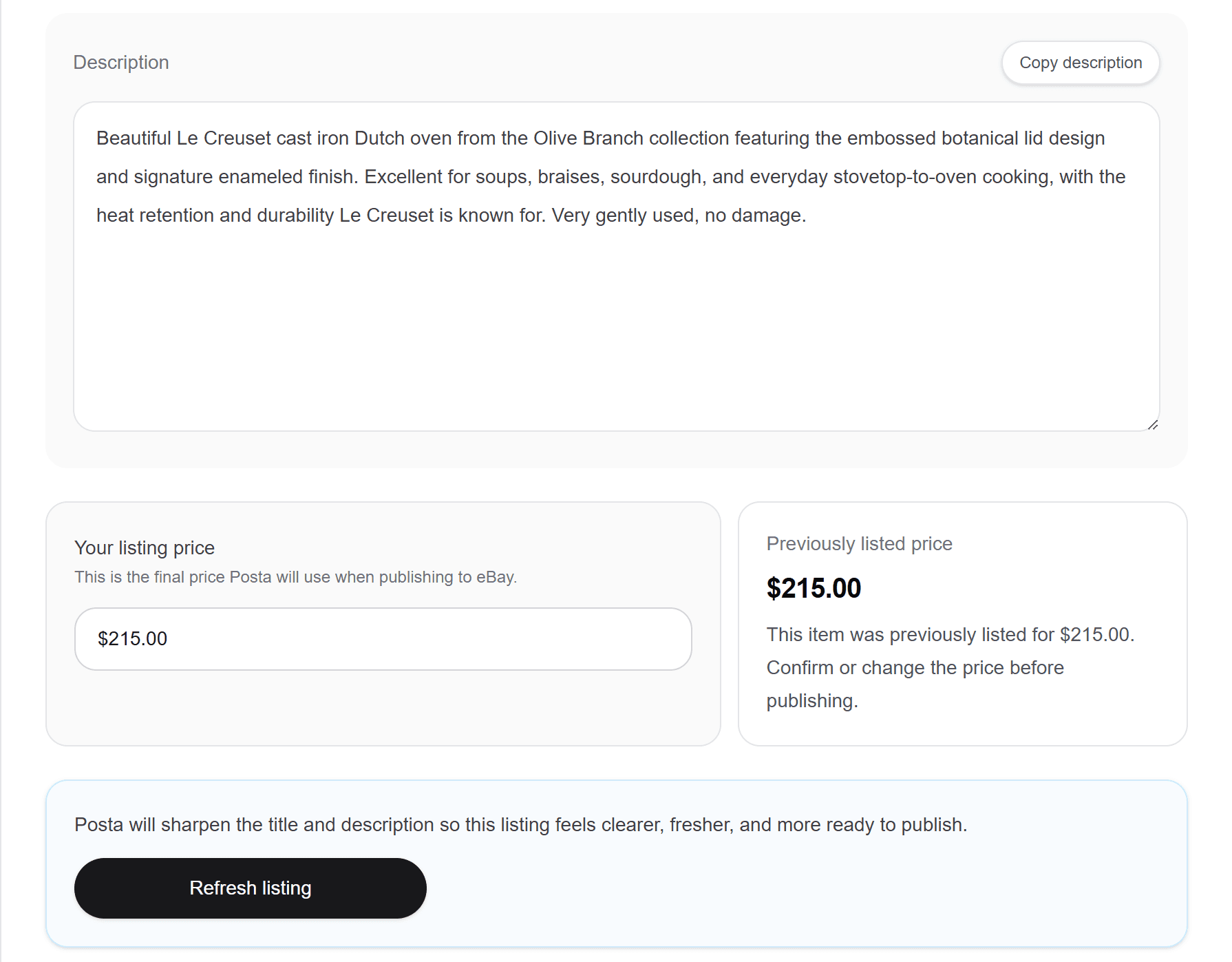
Refresh listing action on an imported eBay draft in Posta

Step 2

Preview the improvement

Review the refreshed title and description before anything changes on eBay.
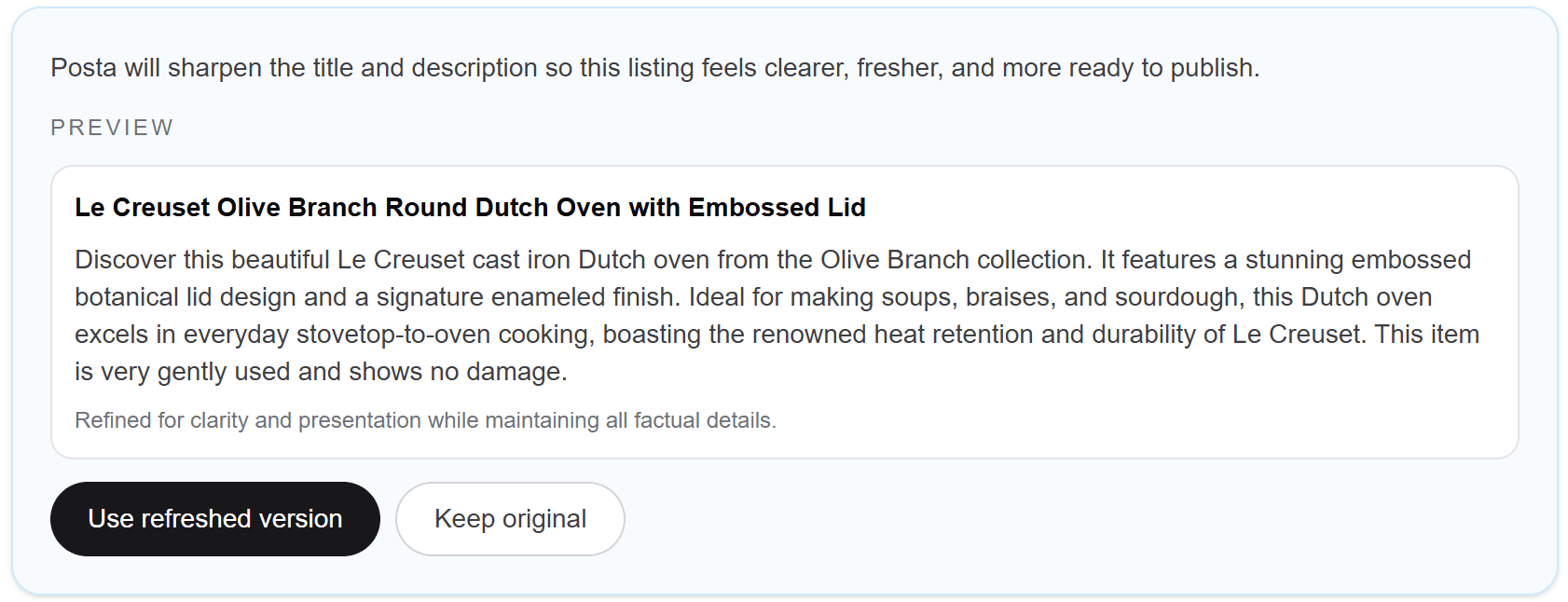
Preview refreshed listing with use refreshed version or keep original options

Step 3

Apply the refreshed draft

Accept the refreshed version and continue editing or publishing from Posta.
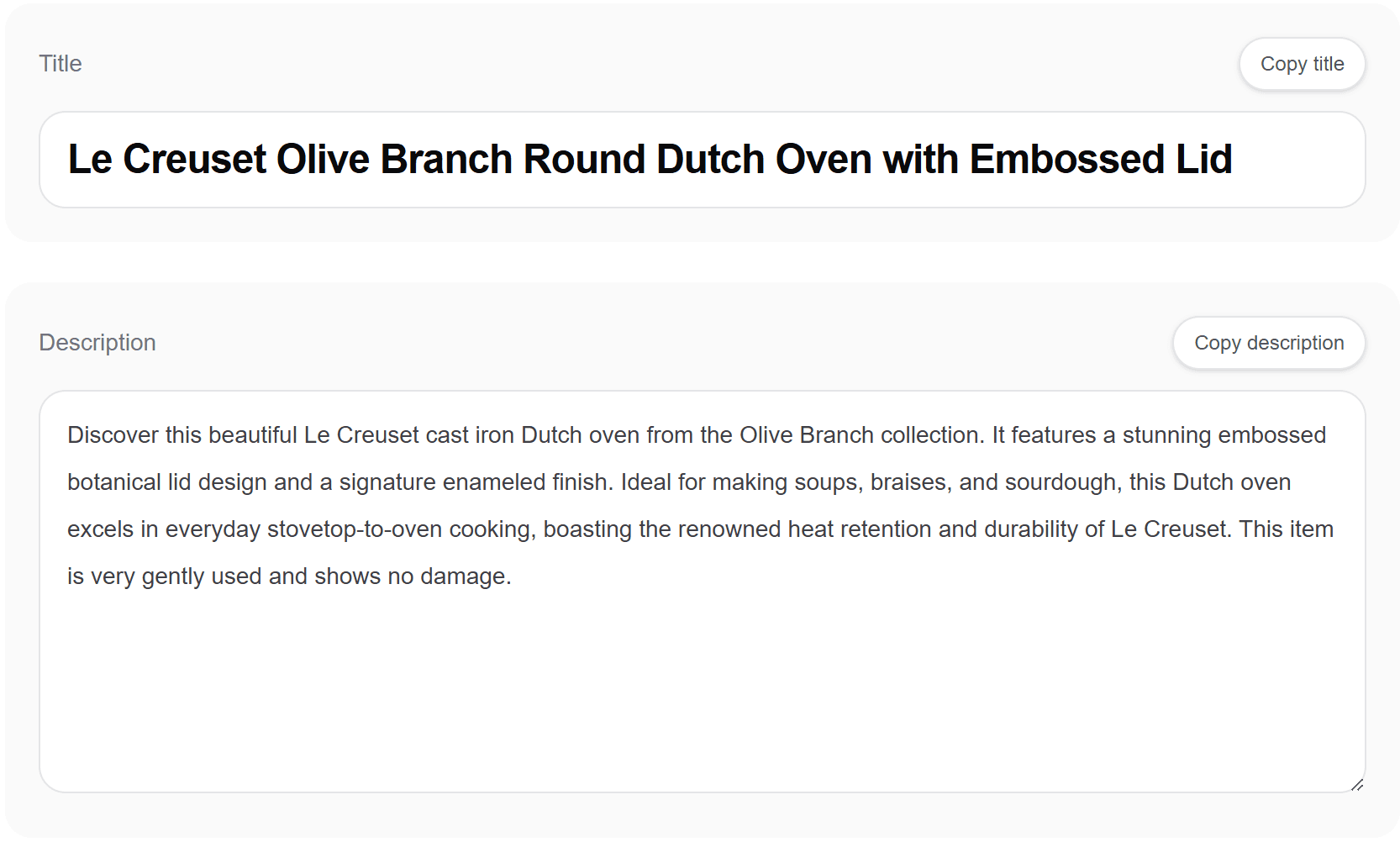
Applied refreshed title and description in Posta listing draft

Built for more than one listing.

Batch repetitive work and keep drafts, published listings, and imports organized.

Batch repetitive work

Select ready drafts, refresh imported listings, and publish multiple items when you are working through a larger pile.
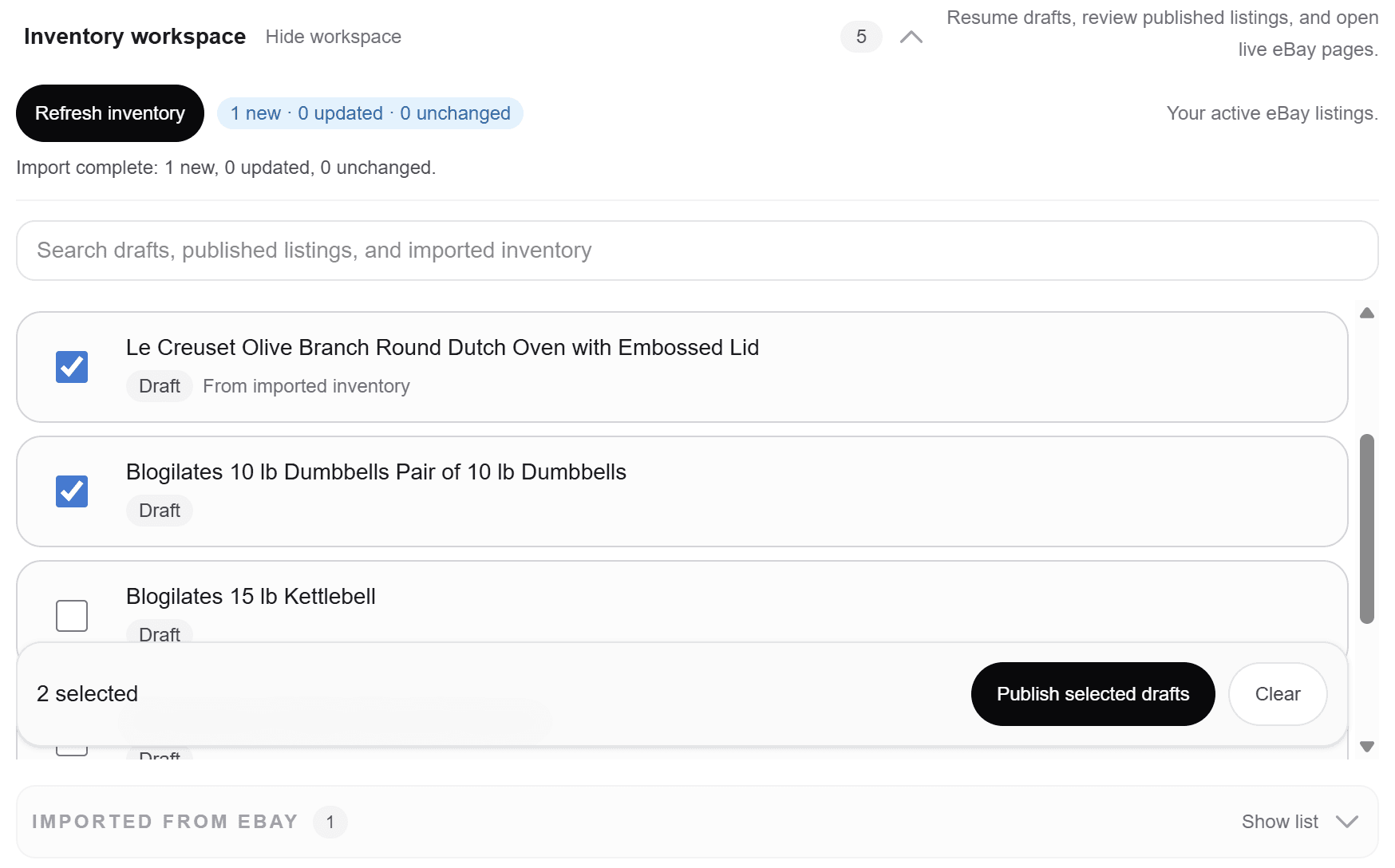
Selecting multiple drafts to publish in bulk in Posta

Find listing work fast

Search across drafts, published listings, and imported inventory so your work stays easy to find.
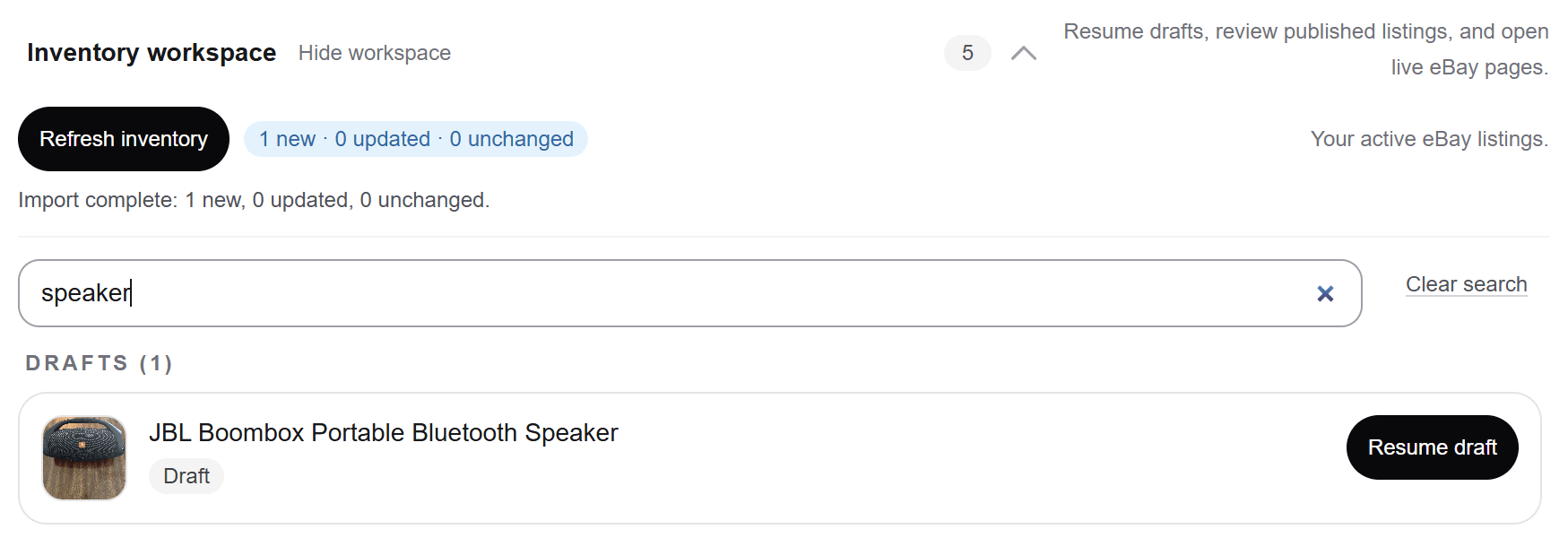
Searching drafts and imported inventory in the Posta workspace

Decide

Start simple. Grow when your listing work grows.

Use the core workflow for free, then upgrade when you need more publishes, inventory continuity, and operational listing tools.

Free

$0

per month

3 eBay publishes

  • Generate eBay-ready drafts from photos
  • Edit title, description, price, and listing details
  • Complete readiness checks before publishing

Best for: Trying Posta with a few listings

Start free

Hobbyist

$9.99

per month

100 eBay publishes per month

  • Everything in Free
  • Inventory workspace
  • Save and resume drafts
  • Review published listings

Best for: Casual sellers listing regularly

Start Hobbyist

Professional

$24.99

per month

300 eBay publishes per month

  • Everything in Hobbyist
  • Import active eBay inventory into Posta
  • Bulk-create editable drafts from imported inventory
  • Bulk refresh stale listing titles and descriptions
  • Bulk publish ready-to-publish listings

Best for: Sellers managing larger inventory piles and higher throughput

Start Professional

Frequently asked questions

Do I need an eBay account?
Yes — to publish directly to eBay. You can build and refine drafts in Posta first, then connect eBay when you are ready to go live.
Can I publish directly to eBay?
Yes. Connect your eBay account, finish readiness, and publish from Posta when the listing is ready.
Can I import existing eBay listings?
Yes. Posta pulls active listings into your workspace so you can open editable drafts from inventory you already have on eBay.
Will Posta change my live listings automatically?
No. Refreshes are previewed first. You decide whether to use the refreshed version or keep the original.
What happens to my old listing when I republish through Posta?
You preview refreshed copy before anything goes live. When you republish and supersession applies, the earlier live listing comes down and your refreshed listing replaces it. Your work stays connected in the inventory workspace.
Does it work on mobile?
Yes. Posta is built around a mobile-first listing workflow — photos, drafts, readiness, and publish from one workspace.

Keep your listing workflow moving.

Photos, import, readiness, publish, and your next draft — one workspace for the full loop.

Add photosImport inventoryPick up draft
Start listing
Posta mobile inventory workspace

Posta

eBay listing workspace for sellers.